Scary Evolution Controls and HUD
Where every important button lives—and what to do when one is missing.
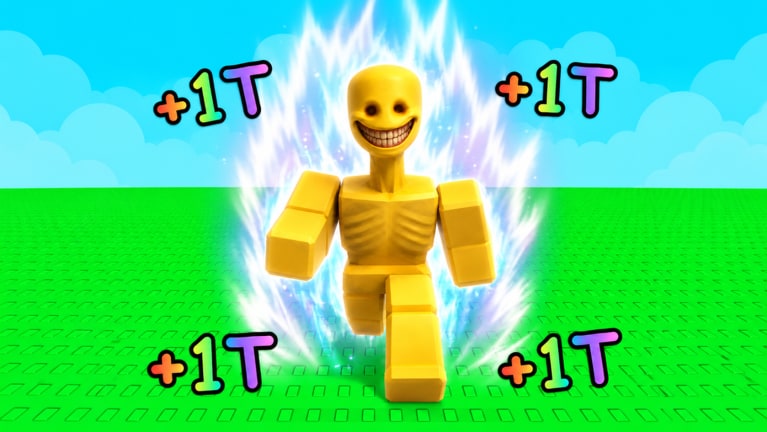
Scary Evolution (also listed as +1 Scary Evolution / [W3] +1 Scary Evolution) is a free Roblox incremental horror sim by BEST MINIGAMES INC. The fantasy is click → train → scare → spend → rebirth, but none of that works if you cannot find the HUD. This guide is a controls and interface map: where Codes/Rewards, shops, pets, rebirth, Killer event banners, and magic mirrors usually live, how mobile vs PC feel different, and what to do when a button is missing.
It pairs with Getting Started. Read that for the first-hour loop; stay here when the UI itself is the bottleneck.
Core loop buttons (what each panel is for)
| Panel / control | Job | Open when |
|---|---|---|
| Click / tap scare | Baseline Scare Power | Always available after spawn |
| Magic mirrors / train pads | AFK-friendly Scare Power training | After tutorial unlocks training |
| Codes / Rewards | Redeem strings, claim timers, social freebies | Login, after patches, after group join |
| Shop (general) | Soft spends that are not killers | Between Killer events |
| Killer / character shop | Buy scare units with Wins | Especially during the Killer event |
| Pets / eggs | Hatch and equip multipliers | After first Wins or egg currency |
| Rebirth | Prestige for permanent scare gains | Only after checklist (how to rebirth) |
| Killer event banner | Timed shop / highlight window | Roughly every few minutes |
| Stages / world UI | NPC scare progress and world travel | When power is high enough to push |
Exact icon art and corner placement can shift with patches. Treat the table as a job map, then hunt the matching icon in your build.
Where buttons usually live
Roblox incremental sims—including Scary Evolution—tend to cluster controls like this:
- Left or bottom-left: currency counters (Scare Power, Wins) and quick train / click prompts.
- Right rail or bottom-right: shop, pets, rebirth, and inventory-style icons.
- Top center or top banner: Killer event countdown / “event live” strip.
- Top-left or hamburger: Codes/Rewards, settings, and sometimes group reward claims.
- World space: magic mirrors and NPC stage routes you walk or teleport to—not only GUI buttons.
If you are stuck staring at the lobby, turn the camera and look for glowing mirrors and stage portals. Training is often a pad you stand on, not only a menu click. Deep dive: How to Train.
Codes / Rewards panel
Open Codes / Rewards early every session:
- Redeem only strings you trust—see Codes Hub and How to Redeem.
- Claim daily, playtime, and free timers when they appear (details in Quests and Rewards).
- Confirm Like / Favorite / BEST MINIGAMES INC group (
889764827) freebies if the panel surfaces them.
Closing the panel without claiming is a common “I thought I had no rewards” mistake.
Shop, pets, and rebirth controls
Shop — Use for non-event spends. Do not empty Wins here right before a Killer pulse.
Pets — Hatch eggs, then use any Equip Best Pets (or manual equip) so slots are not empty. Guide: Pets and Hatching.
Rebirth — Usually a distinct prestige button with a confirmation modal. Read the keep/lose text in-panel every time. Never mash it mid-event purchase.
Killers — Buying and equipping scare units is covered in Unlock Killers and timed in the Killer Event guide. After a buy, open inventory and equip—ownership alone does nothing.
Killer event banner
When the banner lights up (about every few minutes):
- Stop random shopping.
- Open the killer UI from the banner or shop shortcut.
- Buy the best affordable upgrade while keeping a Wins buffer.
- Equip Best Killer / manually equip the new unit.
- Push stages that were borderline.
If you never see a banner, check that the tutorial finished and that you are not in a soft-locked menu. Rejoin if the server desynced UI.
Mobile vs PC
| Topic | PC | Mobile |
|---|---|---|
| Scare click | Mouse click / hold patterns | Tap / hold on the scare control |
| Camera | Mouse look + WASD or click-to-move | Thumb drag; pinch zoom if available |
| Menus | Hover tooltips easier | Larger tap targets; watch for off-screen panels |
| Mirrors | Easy to stand still on a pad | Lock orientation; avoid accidental walk-off |
| Events | Glance at top banner while alt-tabbing carefully | Keep Roblox in foreground so timers stay honest |
Scare Evolution does not need FPS aim skill. Timing upgrades beats pixel-perfect clicks. On mobile, prefer portrait or landscape consistency once you find a layout where rebirth and Codes are reachable without covering the event banner.
What to do if UI is missing
Work this checklist in order:
- Finish the tutorial — many buttons stay hidden until prompts complete (Getting Started).
- Close stacked modals — a rewards popup can block shop icons underneath.
- Rejoin the experience — place link: Scary Evolution on Roblox. Fresh servers fix ghost HUDs after patches.
- Update Roblox — stale clients hide new event UI.
- Check Updates — balance or UI moves are announced there.
- Avoid script UIs first — if a community tool overlays the native HUD, disable it and relearn stock controls (Scripts Hub).
Do not assume a feature was removed because one icon moved corners.
Session startup control ritual
Every login:
- Claim Codes / Rewards / social freebies.
- Confirm pets and killer are still equipped after any reset.
- Walk to the best unlocked magic mirror.
- Note whether a Killer event is live or cooling down.
- Only then open shops or rebirth.
That five-step ritual prevents “I clicked for twenty minutes with empty pet slots” sessions.
Accessibility and QoL habits
- Keep currency counters visible so you notice Wins income while training.
- After each hatch or killer buy, force an equip check.
- Screenshot your HUD once you like the layout—helps spot missing icons after updates.
- On shared devices, re-check group membership; free rewards sometimes require the BEST MINIGAMES INC join to stick.
Related pages
Master the HUD once and every other Scary Evolution guide becomes faster: you will stop hunting menus and start hunting Wins, stages, and smarter Killer event spends.
Frequently Asked Questions
Quick answers to the most common questions.
Where is the Codes / Rewards button in Scary Evolution?
Usually on a top or side HUD icon labeled Codes, Rewards, or gifts. Finish the tutorial if it is missing, then rejoin if the panel still will not open.
Why can’t I see the Killer event banner?
Complete tutorial steps, close overlapping menus, and rejoin the server. The event still runs about every few minutes once the HUD is healthy.
Do mobile and PC use different controls?
Same systems, different input. Mobile relies on taps and careful camera drag; PC uses mouse clicks. Upgrade timing matters more than platform.
I bought a killer but nothing changed—what did I miss?
Open the killer inventory and equip it. Ownership without Equip Best Killer / manual equip leaves your old unit active.
What should I open first every session?
Codes/Rewards and social claims, then verify pets and killer equip, then sit on mirrors. Shops and rebirth come after that ritual.