Scary Evolution Quests and Rewards
Daily timers, freebies, social claims, and how reward UI fits the scare loop.
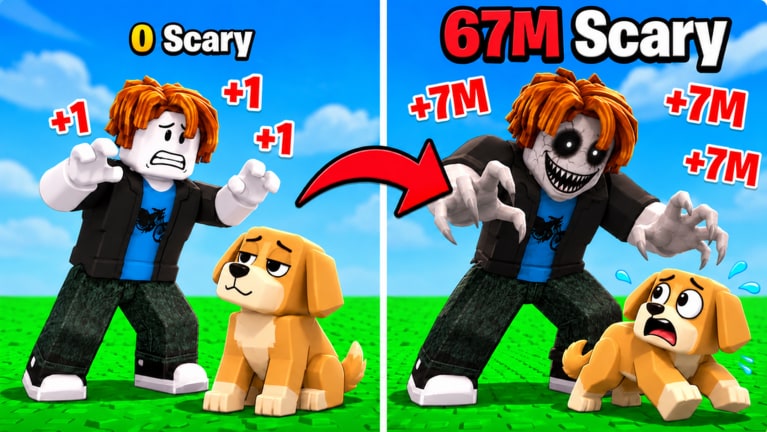
Scary Evolution layers quests, dailies, playtime rewards, free claims, and social freebies on top of the core scare loop. Missing those panels is free power left on the table—especially in the first hour. This guide explains how to think about incremental reward timers, where Like / Favorite / group claims fit, and how to fold rewards into training, stages, and Killer events without inventing unreleased drop tables.
Publisher: BEST MINIGAMES INC. Experience: Scary Evolution on Roblox. Group id 889764827. Always verify live labels in the Codes / Rewards UI—timer names can rename after patches listed on Updates.
Reward systems you should expect
Scary Evolution plays like other Roblox incremental horror sims. Community feature lists (including tools documented on BP Hub) and the normal game loop point to these common reward categories. Treat them as systems to hunt in the HUD, not as a promise of exact payout amounts:
| System | What it usually does | Player habit |
|---|---|---|
| Quests / missions | Short goals tied to training, scares, or logins | Check on login and after big clears |
| Daily reward | Once-per-day claim | Claim before long AFK mirror sessions |
| Playtime rewards | Tiered gifts for minutes played | Leave the client running intentionally |
| Free reward | One-click or social-gated claim | Claim during the startup ritual |
| Offline / away earnings | Partial progress while logged out | Log back in before timers cap |
| Codes | String redeem for drops | Only trusted strings—Codes Hub |
If a row is missing on your account, finish the tutorial and reopen Rewards (controls guide). Soft-locked UI hides more “missing rewards” than empty drop tables.
Startup claim ritual
Every session, before deep grinding:
- Open Codes / Rewards (how to redeem).
- Claim daily / free / playtime tiers that are ready.
- Redeem any verified code strings—ignore fake lists.
- Confirm Like, Favorite, and group freebies (next section).
- Equip pets / killer if a reward granted items.
- Sit on magic mirrors or push stages.
Skipping steps 1–4 is the classic “I played an hour and still feel broke” mistake covered in Getting Started.
Social freebies: Like, Favorite, group
The official Roblox description calls out free rewards for social actions. Do them once per account (and re-check after rare resets):
- Like the experience on the Roblox page.
- Favorite it so you can return quickly and satisfy favorite-gated claims.
- Join BEST MINIGAMES INC — group id
889764827— for the group free reward.
Then return in-game and press the claim control if it does not auto-grant. Social freebies are not codes, but they live in the same “free power” mental bucket as the Codes Hub.
Quests without burnout
When quest text appears:
- Prefer quests that overlap what you already planned (train, scare NPCs, survive a Killer event).
- Do not derail a world push for a tiny quest if an event banner is live (killer event).
- After rebirth, re-open quests—some tracks refresh with prestige cycles (how to rebirth).
Quests are accelerators, not a second game. If a quest asks for something you cannot do yet, park it and raise Scare Power first.
Daily and playtime timers
Daily — Claim early so you do not forget after a long session. Pair it with codes checks.
Playtime — Incremental games often gate eggs, potions, or soft currency behind minute milestones. Keep Roblox focused enough that time counts; tabbing out is fine if the window stays alive. Optional Anti AFK tooling exists in community scripts but carries Roblox rule risk (Scripts Hub).
Practical tip: Use playtime tiers as “alarm clocks” between Killer events. When a tier pops, claim, equip if needed, then spend or stage.
Free reward and offline earnings
Free reward buttons are easy to overlook because they look promotional. Click them anyway during the startup ritual.
Offline / away earnings (when present) usually grant a fraction of active training. They are a bonus, not a replacement for mirrors. Log in, collect, then actively stage for Wins—offline drips rarely replace event banking (wins farming).
Because exact formulas change, read the in-game tooltip instead of trusting memorized percentages from old videos.
How rewards fit the scare economy
Rewards should feed the same priorities as manual play:
- Fill empty pet slots and equip best (pets and hatching).
- Protect a Wins buffer for Killer events.
- Spend reward potions on pushes, not while already soft-locked with no plan.
- Never rebirth mid-claim animation.
If a reward grants a weak killer skin or trophy unit, still equip-check against your killers tier list roles before replacing a stronger clearer.
Automation note
BP Hub and similar tools often expose auto-claim or reward helpers. Use them only after you know where the native buttons are (controls). Automation that claims while skipping Equip Best Pets / Keep Wins can waste the gift.
Weekly hygiene checklist
- Like + Favorite still applied on the Roblox page
- Still in group
889764827 - Daily claimed today
- Playtime tiers not sitting unclaimed at cap
- Codes checked against Codes (empty list is OK—honesty over spam)
- Updates skimmed for reward UI moves
Related pages
Claim first, train second, spend third. Quests and reward timers will not clear worlds alone—but ignoring them makes every Killer event and rebirth recovery slower than it needs to be.
Frequently Asked Questions
Quick answers to the most common questions.
Where do I claim daily and playtime rewards?
Open the in-game Codes / Rewards style panel after login. Finish the tutorial if the icons are hidden, then claim before long mirror AFK.
How do Like, Favorite, and group rewards work?
Like and Favorite the Roblox experience, join BEST MINIGAMES INC (group 889764827), then claim the free reward in-game if it does not auto-grant.
Are offline earnings enough to progress?
No. They are a bonus drip. You still need active training, stages, and Killer event spends for real Wins momentum.
Should I do quests during a Killer event?
Only if they overlap your buy/equip plan. Do not miss the event banner for a low-value quest.
Why is my rewards list empty?
Timers may still be cooling down, codes may be unavailable, or UI is blocked. Re-check social claims, wait for dailies, and see Updates after patches.